
You can share a post from your forum on Facebook, X, or anywhere else by following the instructions below:
- Log in to your forum account.
- If your forum has multiple categories, click the Categories link.
- Click the subject of a topic to open the topic.
- Browse to the post that you want to share.
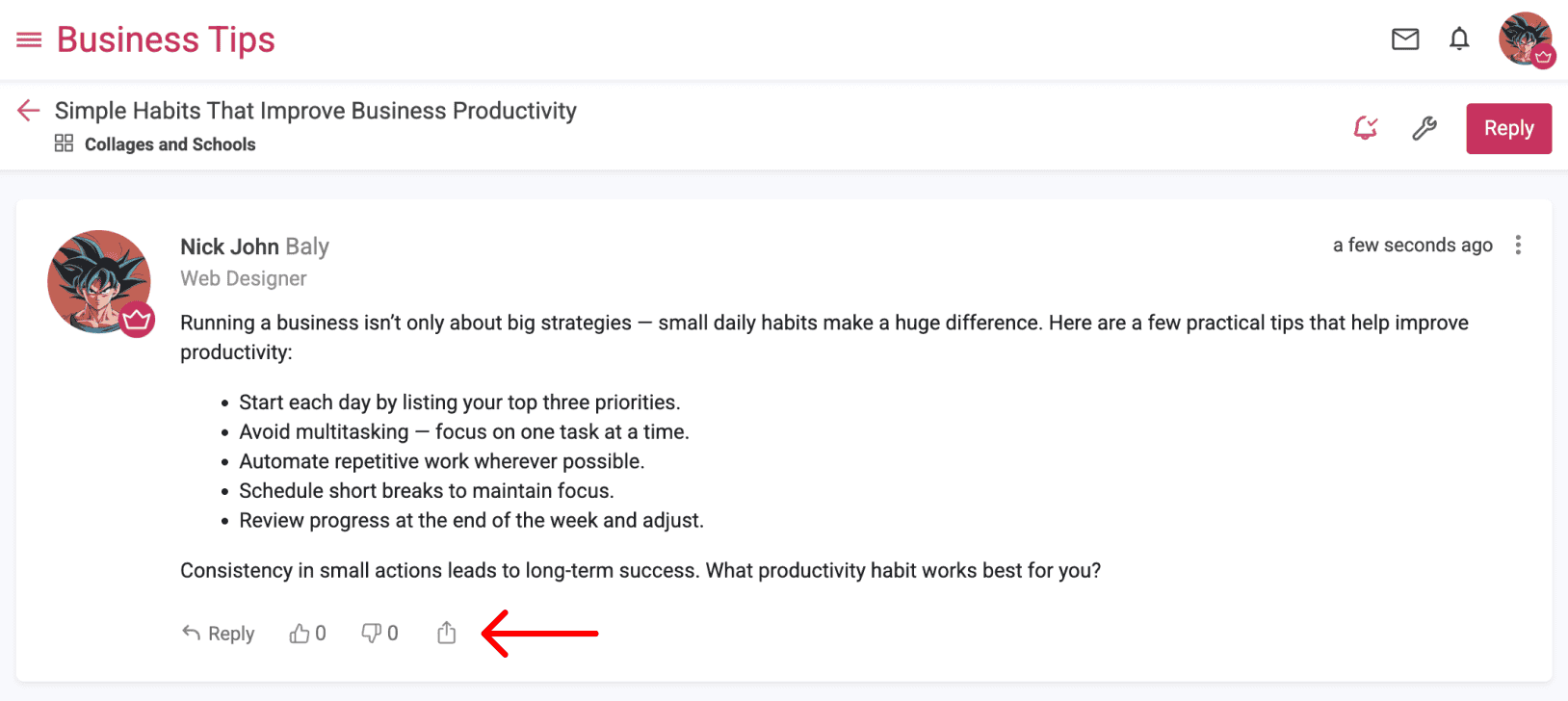
- At the bottom-left of the post, click Share.
- Click the icon for the platform on which you want to share the post or copy the link to share it anywhere else you'd like.
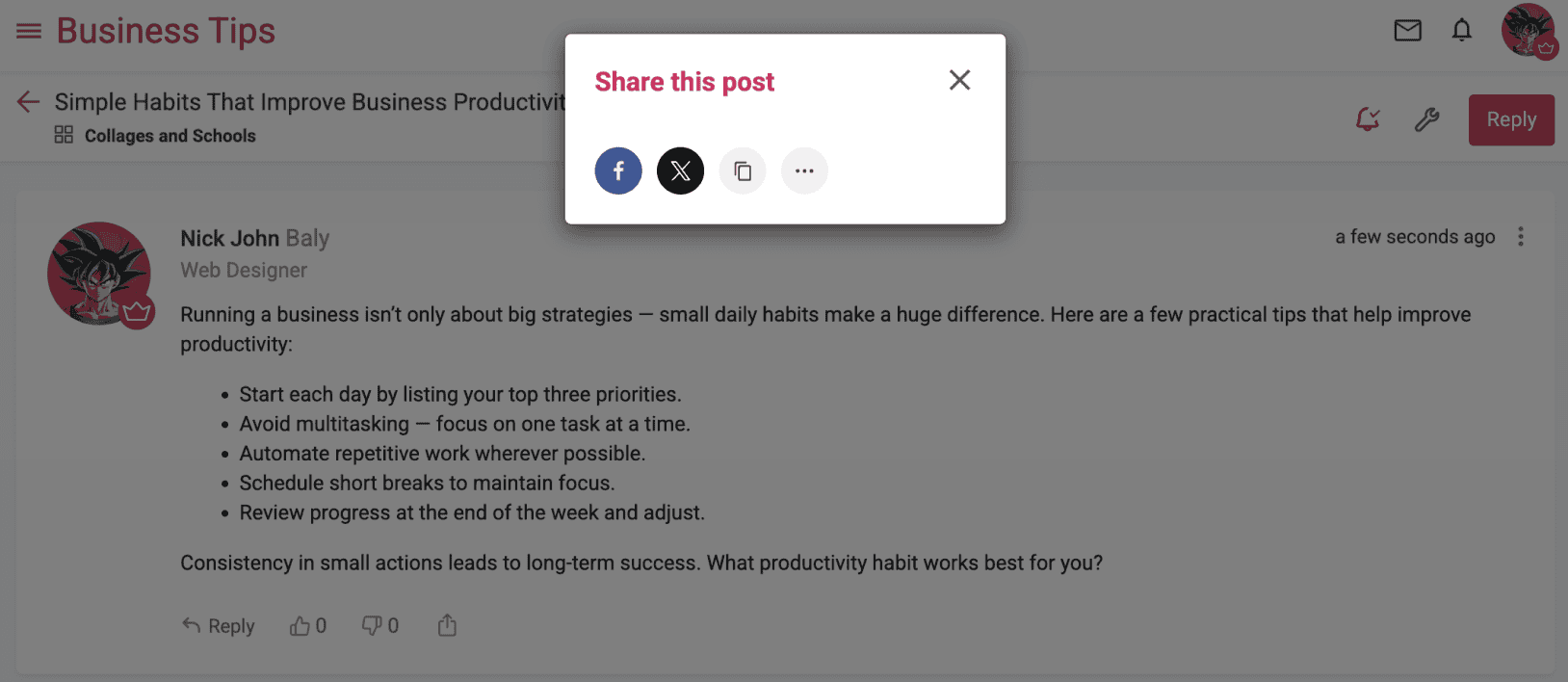
If the browser supports it, the device's default sharing dialog box will be displayed instead of our customized sharing dialog, further simplifying the sharing process.